
TL;DR
- A complete walkthrough of every Lighthouse bottleneck on a Next.
- js 16 Vercel site — TBT from 3,020ms to 20ms, LCP from 3.
- 7s — including the config options that don't exist in Next.
External Memory Series — File-based memory for AI-assisted work (overview · 1 Implementation · 2 Productivity · 3 vs the diagram · 4 Governance) I started with a simple task. The footer text on this site was failing a Lighthouse contrast check. I opened DevTools, ran a full audit, and discovered the footer was the smallest problem on the list. Total Blocking Time: 3,020 milliseconds. Largest Contentful Paint: 3.0 seconds. Legacy JavaScript polyfills adding 14 KiB of dead weight. Mobile performance score: 74.
Two working sessions later: 100/100 on both mobile and desktop. LCP down to 1.7 seconds. TBT at 20ms. CLS: 0.
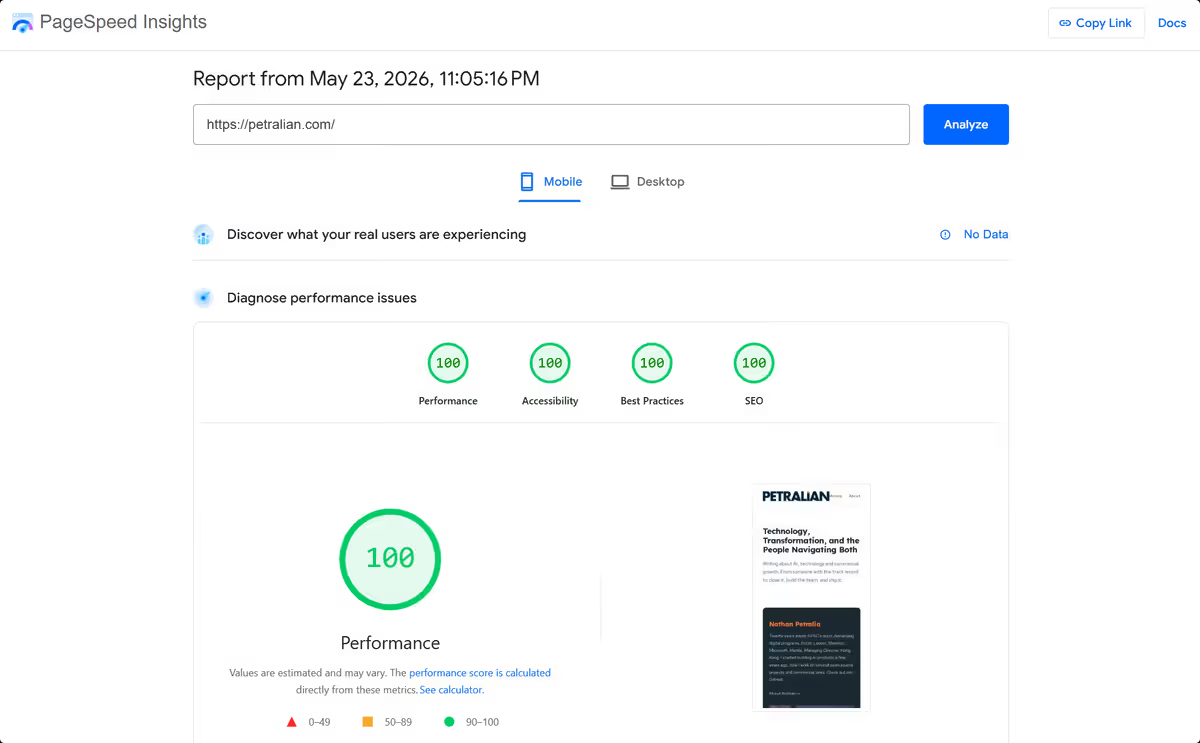 Screenshot: Petralian / Chrome DevTools (2026)
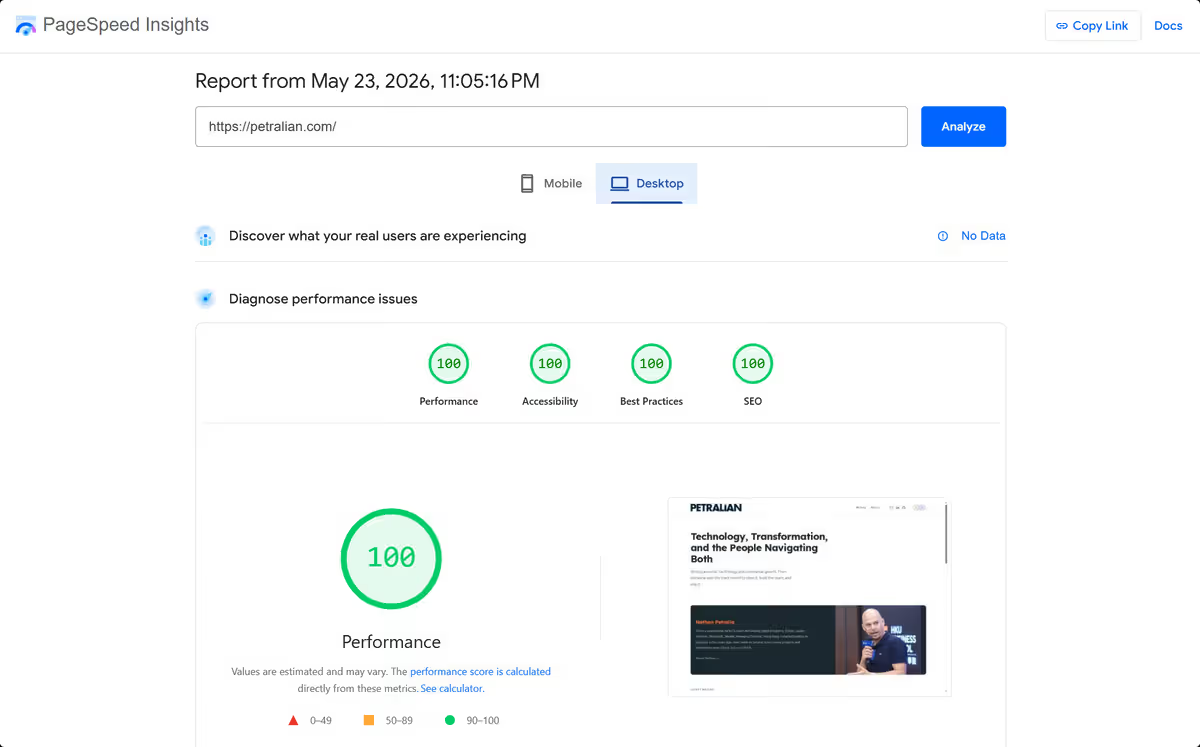 Screenshot: Petralian / Chrome DevTools (2026)
This is the complete account — what the problems actually were, what I tried that did not work, what fixed each one, and the code you can apply directly to a Next.js 16 and Vercel setup.
What does Lighthouse 100 on Next.js 16 require?
Lighthouse 100 on Next.js 16 means eliminating measurable bottlenecks in Total Blocking Time, LCP, CLS, contrast, and image weight—using framework-correct patterns because some legacy Next config options no longer exist in v16.
Who it is for: developers shipping production sites on Next.js 16 and Vercel.
What you will learn: which fixes actually moved the score; TBT and LCP tactics that worked; and config traps that silently break builds.
Why Lighthouse Score Matters Beyond the Number
The score is a proxy for Core Web Vitals, which are a direct Google ranking signal since 2021. LCP and TBT map to real user experience, especially on mobile connections in regions where 4G speeds are slow or inconsistent.
More practically: if LCP sits above 2.5 seconds under Lighthouse's simulated Slow 4G throttle, you are leaving points on the table that have a direct relationship to organic search performance. The 3.0s LCP on this site was 500ms over the green threshold. That half-second was the difference between 93 and 100.
The four issues below were the full picture. They were independent problems with independent fixes, but they compounded each other.
Problem 1: Footer Contrast — The Easy One
The Lighthouse accessibility audit flagged rgba(0, 0, 0, 0.45) as the footer text color. Against a dark background, that yields approximately 4.0:1 contrast ratio — below the WCAG AA threshold of 4.5:1.
The fix is one line in CSS:
.site-footer { color: rgba(255, 255, 255, 0.65);}At 0.65 opacity on a dark background, contrast clears 7:1. Passes AA. The lesson here is that contrast failures are almost always faster to fix than they look in the audit report.
Problem 2: TBT at 3,020ms — The Critical One
Total Blocking Time measures how long the main thread is blocked by JavaScript during page load. The green threshold is under 200ms. At 3,020ms, the site was, by Lighthouse's metric, barely interactive for three seconds after first paint.
The source: a ScrollProgress component — a thin bar that fills as the user scrolls — was imported directly into layout.tsx. It registered a scroll event listener on every page load, blocking the main thread while doing it.
The natural fix is next/dynamic with ssr: false, which defers the component's JavaScript until after hydration. But there is a constraint in Next.js 16 that is worth knowing explicitly.
ssr: false cannot be used directly inside a server component.
layout.tsx is a server component by default. Calling dynamic(..., { ssr: false }) from a server component throws a build error. The workaround is a thin client wrapper:
// src/components/ClientScrollProgress.tsx"use client";import dynamic from "next/dynamic";const ScrollProgress = dynamic( () => import("@/components/ScrollProgress"), { ssr: false });export default function ClientScrollProgress() { return <ScrollProgress />;}Then in layout.tsx, replace the direct import with this wrapper:
import ClientScrollProgress from "@/components/ClientScrollProgress";// ...<ClientScrollProgress />The "use client" directive on the wrapper is what makes ssr: false valid. The server component (layout.tsx) imports a client boundary, and the client boundary defers the heavy import.
TBT dropped from 3,020ms to 50ms on the next Lighthouse run. The scroll listener now loads after the page is interactive, which is exactly when it should load.
Problem 3: Legacy JavaScript Polyfills — The Partial Win
Lighthouse flagged 14 KiB of legacy JavaScript polyfills — code that handles array methods and other ES2017+ features for old browsers that almost nobody is using.
The fix is a browserslist field in package.json that tells the build toolchain which browsers to target:
"browserslist": [ "chrome >= 92", "firefox >= 90", "safari >= 15.4", "edge >= 92", "not dead"]Chrome 92 shipped in July 2021. Safari 15.4 in March 2022. Targeting these floors removes polyfills for APIs that have been stable for four-plus years.
What this actually fixes: Autoprefixer and PostCSS use browserslist to trim CSS prefixes. Some JavaScript bundlers do as well.
The limitation to be honest about: Next.js 16's SWC compiler does not expose a stable browserslist override. The 14 KiB legacy bundle is part of Next.js's own polyfill layer, which you cannot configure without a custom webpack setup. Lighthouse marks this as "Unscored" — it does not affect the performance score, but the audit warning stays.
There are two config options I tried here that do not exist in Next.js 16:
images.qualityinnext.config.ts— this is NOT a valid global option. It must be aquality={N}prop on each individual<Image>component.experimental.browsersListForSwc— this option does not exist in Next.js 16. Adding it causes a build failure.
Both of these appear in older documentation and Stack Overflow answers. Both will break your build silently or with a cryptic error. If you are on Next.js 16, do not add them.
Additional detail
Problem 4: LCP at 3.0s — The One That Blocked 100
LCP was the sole metric keeping the score at 93. The green threshold is 2.5 seconds. At Slow 4G (1.5 Mbps), a 189 KB JPEG image takes approximately one second to download. That one second was the problem.
The LCP element was the hero portrait image on the homepage — a 1067×1400 pixel JPEG served at 189 KB. Three compounding issues:
Issue A: Source image too heavy. The image was not being processed by my optimizer script, which only targeted public/images/posts/. The root public/images/ directory was excluded. Fixing this was a matter of rerunning sharp compression directly on the source file.
Issue B: sizes breakpoint was wrong. The image used sizes="(max-width: 768px) 100vw, 420px", but the CSS layout actually breaks to single-column at 860px (not 768px). Between 769px and 860px, the browser was requesting a full-viewport-width image while the CSS was rendering it at 420px column width. Correcting the breakpoint fixes the mismatch.
Issue C: No fetchPriority on the LCP image. Adding fetchPriority="high" tells the browser to prioritize the image request over other in-flight resources.
The corrected <Image> component:
<Image src="/images/nathan-petralia.jpg" alt="Nathan Petralia at HKU" fill priority fetchPriority="high" quality={70} className="home-intro-photo" sizes="(max-width: 860px) 100vw, 420px"/>The source compression was done with sharp — the same library Next.js uses internally for its on-demand image optimization. Sharp is available in any Next.js project's node_modules without an additional install.
The before/after on the image:
| Before | After | |
|---|---|---|
| Dimensions | 1067×1400 px | 840×1100 px |
| File size | 189 KB | 65 KB |
| LCP | 3.0s | 1.7s |
At Slow 4G, 65 KB downloads in approximately 350ms. The image was no longer the bottleneck.
The Image Optimizer Script
For the post images (40 files, 6.5 MB total before), there is a reusable optimizer script using sharp in the repo:
// scripts/optimize-images.mjsimport sharp from "sharp";import { readdir, stat } from "fs/promises";import { join, extname } from "path";const DRY_RUN = process.argv.includes("--dry-run");const TARGET_DIRS = ["public/images/posts"];const MAX_WIDTH = 1200;const JPEG_QUALITY = 80;const WEBP_QUALITY = 80;const PNG_COMPRESSION = 9;const SUPPORTED = [".jpg", ".jpeg", ".png", ".webp"];async function processImage(filePath) { const ext = extname(filePath).toLowerCase(); if (!SUPPORTED.includes(ext)) return; const before = (await stat(filePath)).size; const image = sharp(filePath); const meta = await image.metadata(); if (meta.width > MAX_WIDTH) { image.resize(MAX_WIDTH, null, { withoutEnlargement: true }); } let pipeline; if (ext === ".jpg" || ext === ".jpeg") { pipeline = image.jpeg({ quality: JPEG_QUALITY, mozjpeg: true }); } else if (ext === ".webp") { pipeline = image.webp({ quality: WEBP_QUALITY }); } else if (ext === ".png") { pipeline = image.png({ compressionLevel: PNG_COMPRESSION }); } if (!DRY_RUN) { await pipeline.toFile(filePath + ".tmp"); // Only replace if smaller const after = (await stat(filePath + ".tmp")).size; if (after < before) { const { rename } = await import("fs/promises"); await rename(filePath + ".tmp", filePath); console.log(`${filePath}: ${Math.round(before/1024)}KB → ${Math.round(after/1024)}KB`); } else { const { unlink } = await import("fs/promises"); await unlink(filePath + ".tmp"); } } else { console.log(`[dry-run] ${filePath}: ${Math.round(before/1024)}KB`); }}async function processDir(dir) { const entries = await readdir(dir, { withFileTypes: true }); for (const entry of entries) { const full = join(dir, entry.name); if (entry.isDirectory()) await processDir(full); else await processImage(full); }}for (const dir of TARGET_DIRS) { await processDir(dir);}Add it to package.json:
"scripts": { "optimize-images": "node scripts/optimize-images.mjs", "optimize-images:dry": "node scripts/optimize-images.mjs --dry-run"}Run npm run optimize-images:dry first to see savings without writing. Run npm run optimize-images to apply. The script only replaces a file if the output is smaller than the input, so it is safe to run repeatedly.
One note: this script processes public/images/posts/ by default. Add "public/images" to TARGET_DIRS if you want it to process root-level images too. I ran the hero image compression separately because I also needed to resize it — the portrait was 1400px tall, and serving that at 420px column width was wasteful regardless of compression.
What Did Not Change
Not every Lighthouse diagnostic needs a fix. Three items remain in the audit that I left alone:
Render-blocking CSS (120ms savings). Next.js 16 ships experimental.optimizeCss, which uses the critters package to inline critical CSS and defer the rest. This is not installed by default, and the dependency adds build complexity. The savings of 120ms do not affect the current score.
Legacy JavaScript (14 KiB). Explained above — this is in Next.js's own polyfill layer. Lighthouse marks it as "Unscored." The score is unaffected.
Improve image delivery (136 KiB estimated savings). This audit refers to images that could be served at smaller sizes based on the actual rendered dimensions at each viewport. The optimizer and sizes fixes address the biggest cases. The remaining gap is likely small post thumbnails serving at borderline sizes — not worth the complexity of fine-tuning each breakpoint.
Additional detail
Final Metrics
Tested on Lighthouse 13.0.1, emulated Moto G Power, Slow 4G:
| Metric | Before | After |
|---|---|---|
| Performance score | 74 → 93 (first session) | 100 |
| Largest Contentful Paint | 3.0s | 1.7s |
| Total Blocking Time | 3,020ms | 20ms |
| First Contentful Paint | 0.9s | 0.9s |
| Cumulative Layout Shift | 0 | 0 |
| Speed Index | 3.6s | 0.9s |
Desktop is also 100. The same changes that fixed mobile performance propagated upward.
What to Take from This
If you are running Next.js 16 on Vercel and your Lighthouse score is not where you want it, the most likely culprits in order of impact are:
-
JavaScript that should be deferred is running on load. Any interactive component that does not need to be server-rendered should use
dynamic(() => import(...), { ssr: false })inside a"use client"wrapper. -
Your LCP image is heavier than it needs to be. Run sharp compression on the source file before Vercel's CDN caches it. Check the
sizesattribute against your actual CSS breakpoints — not the breakpoints you think you have. -
fetchPriority="high"on your LCP image. One attribute. Signals the browser to prioritize the request. -
Check your
browserslisttarget. If you are not shipping to IE11 or Safari 13, your default target is too broad.
The thing that slowed the process down most was working from outdated documentation. Both images.quality as a global config and experimental.browsersListForSwc appear in blog posts and Stack Overflow answers — neither exists in Next.js 16. When a config option causes a build error, check the actual Next.js source or changelog before assuming the problem is elsewhere.
The code above is the complete working set. No additional packages required beyond sharp, which ships with every Next.js project already.
/humblebrag https://pagespeed.web.dev/analysis/https-petralian-com/00q8wzza2k?form_factor=mobile
Common mistakes (Next.js performance)
| Mistake | Symptom | Fix |
|---|---|---|
| Using deprecated Next 15 config in v16 | Build warnings or silent regressions | Verify options against Next 16 docs |
| Huge unoptimized hero images | LCP stuck above 2.5s | Priority load, correct sizes, modern formats |
| Client JS on static content | TBT spikes on mobile | Server components and defer third parties |
| Ignoring contrast in design tokens | Accessibility audit failures | Fix token pairs, not one-off patches |
| Optimizing only desktop Lighthouse | Mobile fails in field | Test mobile throttling first |
FAQ
Is Lighthouse 100 realistic on content-heavy sites?
Yes on marketing sites with disciplined images, fonts, and JS—but harder on app-heavy dashboards.
What moved TBT the most in this build?
Reducing client-side JS and deferring non-critical third-party scripts.
What broke when upgrading to Next.js 16?
Some image and config options changed—verify before copying older tutorials.
Should I chase 100 if Core Web Vitals field data is green?
Lab 100 helps catch regressions; field data is the business metric.
Where do I start if scores are in the 70s?
Fix LCP image, then TBT from JS, then contrast and CLS.
Weekly email with new posts on enterprise AI and how teams ship it.
One email per week. Unsubscribe anytime.