
TL;DR
- WordPress was slowing down the actual writing.
- Here's why I rebuilt petralian.
- js, how Obsidian now sits at the center of my publishing workflow, and why I decided to open source the whole thing.
External Memory Series — File-based memory for AI-assisted work (overview · 1 Implementation · 2 Productivity · 3 vs the diagram · 4 Governance)
There's a version of this article where I lead with the tech stack. I'm not going to do that, because the tech stack was never the point.
The point was that I wanted to write more — and WordPress was making that harder than it needed to be.
Why rebuild a site on Next.js?
Rebuilding on Next.js trades familiar static-site simplicity for React ecosystem depth, server components, image optimization, and deployment integration when a publishing project outgrows its first generator.
Who it is for: developers outgrowing Hugo, Jekyll, or plain static generators.
What you will learn: triggers that justified a rebuild; migration costs; and what Next.js specifically unlocked for Petralian.
The Real Problem Was the Workflow
I use Obsidian. It's where I think, outline, draft, and store everything. Long-form articles, speaking notes, client briefs, half-formed ideas at 11pm — it all lives in a single connected vault.
WordPress was never designed to work with that. It wants to be your editor. It wants you to paste into a block editor, wrangle formatting, manage featured images through a media library, and remember to update SEO fields in a separate plugin panel. None of that is where my brain works.
The gap between "finished draft in Obsidian" and "published on petralian.com" was filled with friction. Export, paste, reformat, fix encoding issues, set metadata manually, preview, fix again. For a single article it's annoying. Multiplied across the kind of publishing cadence I actually wanted to maintain, it was a slow bleed on momentum.
I found myself writing less — not because I had less to say, but because the publishing step felt like work.
That's the problem I set out to fix.
What I Actually Built
The new petralian.com runs on Next.js 16 with the App Router, TypeScript throughout, and Tailwind CSS v4 using its CSS-first config model. It's deployed on Vercel with a push-to-deploy pipeline on master. Every article is a Markdown file in a content/posts/ folder inside the repo.
The Obsidian workflow is now a PowerShell script — sync-obsidian.ps1 — that reads a post draft from my vault, strips author-only scaffolding, applies a few transformations, drops the file into the repo, and commits. I can run it with a -DryRun flag to preview without writing anything. Publishing an article is now two commands and a push.
That's the gap closed.
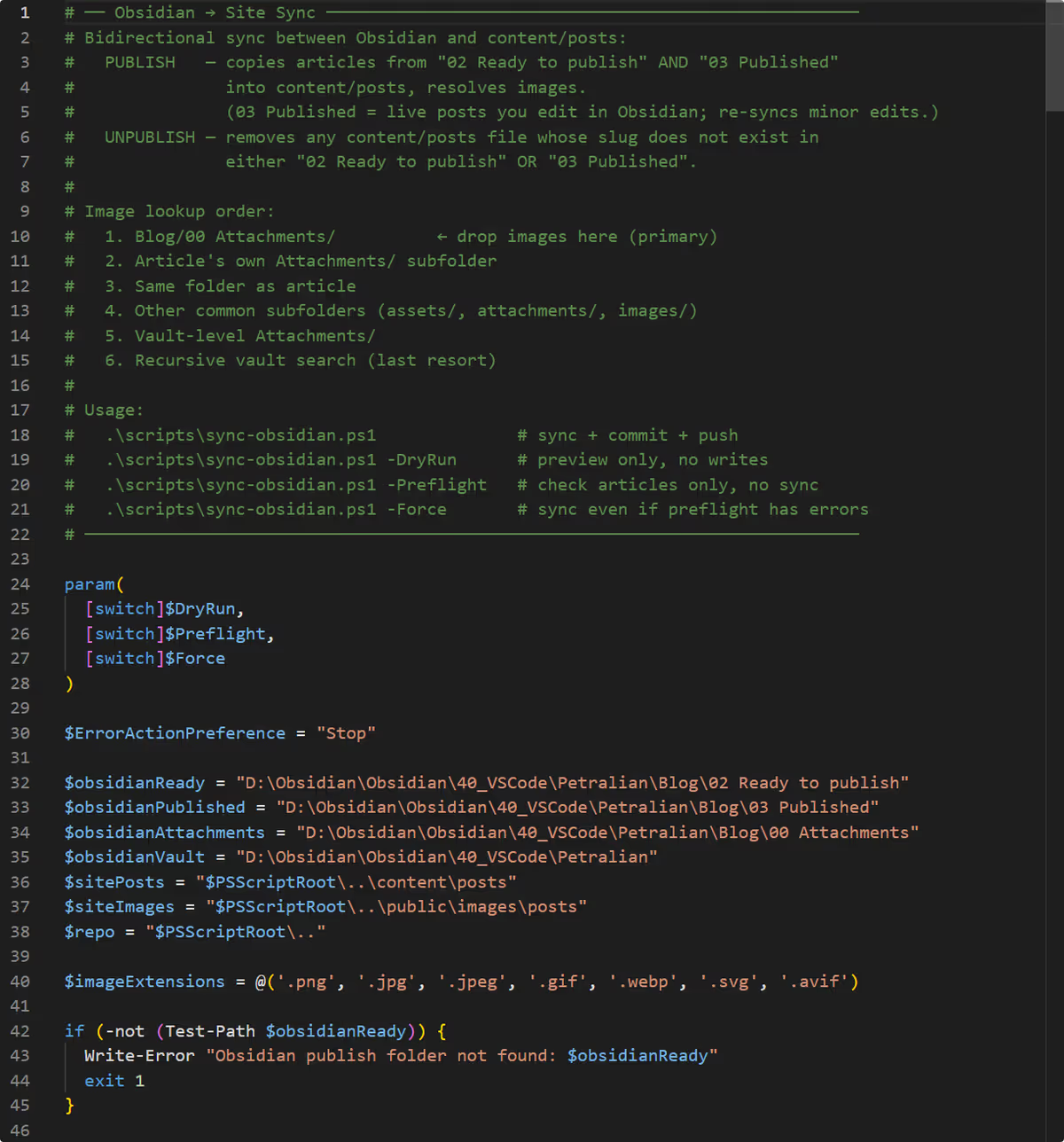 Screenshot: Petralian (2026)
Obsidian as a Publishing Layer
If you're not already using Obsidian for long-form writing, the relevance here might not be obvious. Let me be specific about why this matters for the publishing workflow.
Obsidian stores everything as plain Markdown files on disk. No database, no sync service you don't control, no lock-in. Every article I write has a YAML frontmatter block at the top with title, slug, date, tags, category, excerpt, and status. When status is published, the sync script picks it up. When it's draft, it stays local.
This means my entire content pipeline — from first sentence to live site — lives in files I own and can version control. The site build process reads those same files. There's no CMS database to query, no REST API to call at build time, no cache to flush. Next.js statically generates every post at build time from the Markdown on disk. Pages load fast. The architecture is simple.
The writing experience didn't change. I still write in Obsidian. The only thing that changed is what happens next.
Why Vercel Made This Practical
Deploying a Next.js site used to mean managing a Node.js server, thinking about build caches, and worrying about memory at peak traffic. Vercel removes all of that.
I connect the GitHub repo, set the root directory, and Vercel handles the rest. Every push to master triggers a build in roughly 30 seconds. Edge caching, image optimization via next/image, and automatic HTTPS are all default. There's nothing to maintain.
For a personal site where I want to write, not operate infrastructure, this matters. The operational overhead of a WordPress site — plugin updates, security patches, PHP version compatibility, caching plugin conflicts — was background noise I was tired of managing. Static generation on Vercel is genuinely lower maintenance.
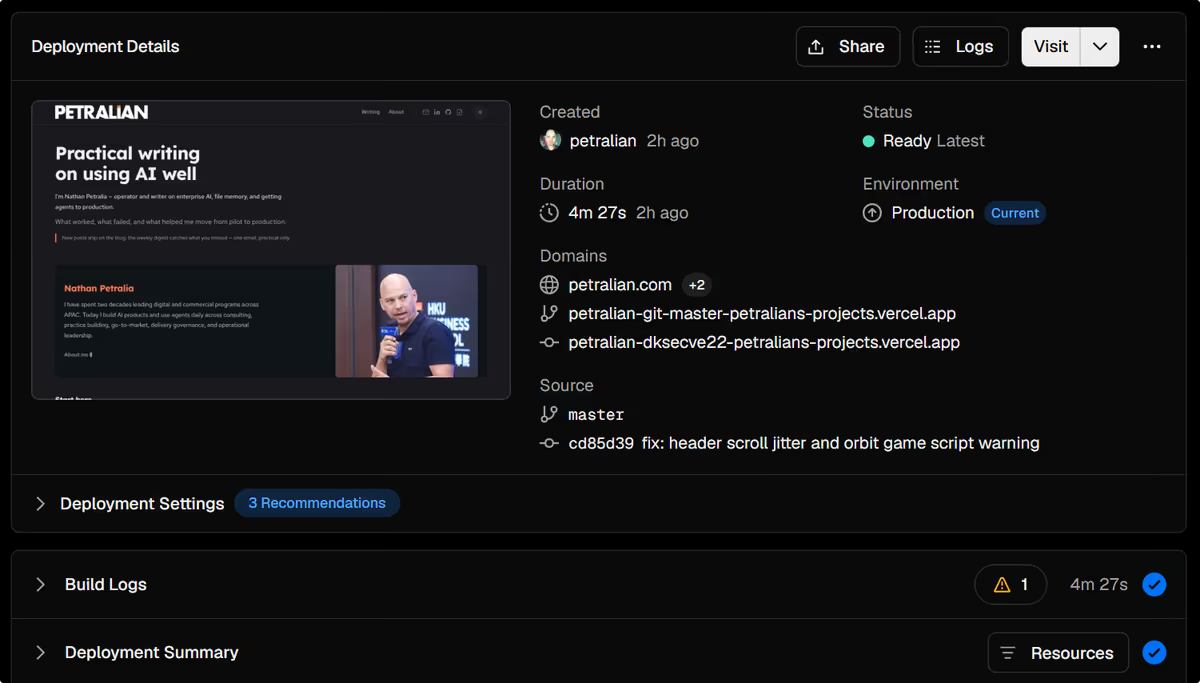 Screenshot: Petralian / Obsidian (2026)
Additional detail
The Design System
I wanted the site to feel like a place I'd actually want to read, not a generic blog template. The design system is baked into globals.css using Tailwind v4's @theme block — design tokens for the orange accent (#ff6a3d), navy headings (#1b2430), and the typography pairing of Lexend Deca for headings and Red Hat Text for body.
The PostCard component uses a 16:9 image-led layout with category pill, date, title, excerpt, and tags. The blog index uses a 3-column grid. Post pages open with a dark hero band and flow into a clean reading column. Everything is server-rendered by default — 'use client' only where interactivity genuinely requires it.
The result is fast, accessible, and visually coherent without requiring a page builder or a separate design tool to maintain it.
Tina CMS — For When You're Not at the Terminal
I'm comfortable writing in Obsidian and pushing from the command line, but I wanted an option for editing content when I'm not at my dev machine — or when I eventually want to hand off content management to someone else without giving them Git access.
Tina CMS sits on top of the Markdown file system and provides a visual editing layer that commits directly to the repo. It reads the same frontmatter schema the site already uses. No separate database, no parallel content store. The same files, edited visually.
For now it's an option rather than the default workflow. But it means the architecture supports non-technical contributors without abandoning the simplicity of file-based content.
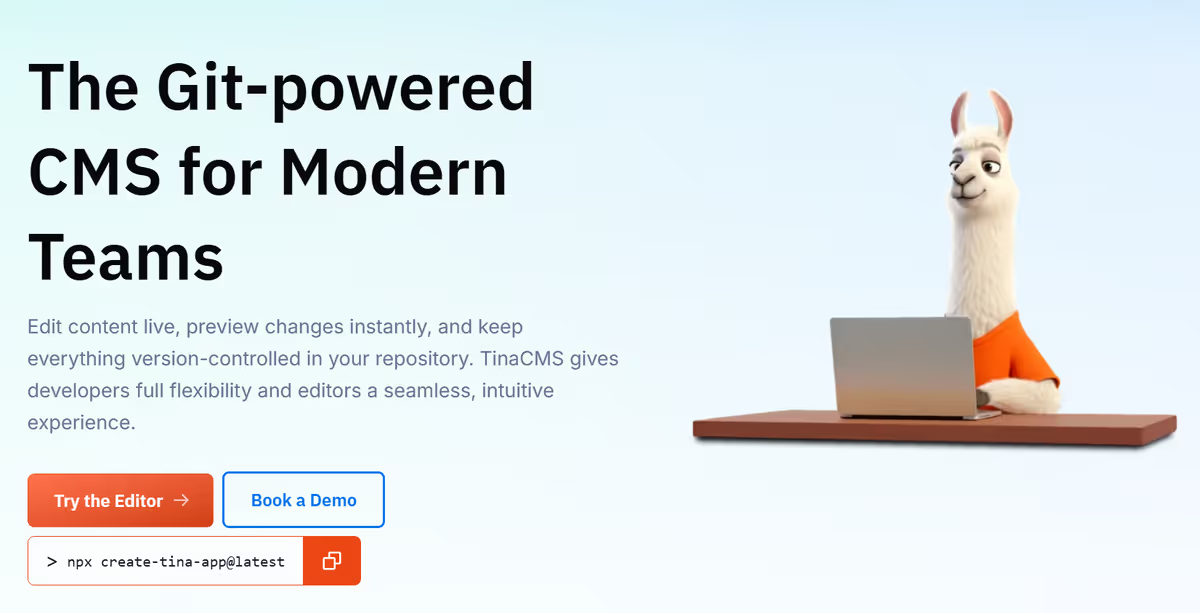 Screenshot: Petralian / Vercel (2026)
The Decision to Open Source It
When I was planning the rebuild, I spent time looking for a Next.js + Obsidian + Vercel template that matched what I wanted. I didn't find one that fitted the specific workflow — the sync script, the frontmatter schema, the Tina CMS integration, the design system built for a writing-focused personal site rather than a startup landing page.
So I directed AI to build it and reviewed every change. Then it occurred to me that other people writing in Obsidian who want a fast, low-maintenance public site probably have the same problem I had.
The full repository is open source on GitHub. If you want a site that:
- Publishes from Obsidian with a script
- Deploys to Vercel on push
- Has a design system you can actually read on
- Uses Tina CMS for visual editing when you need it
- Is entirely file-based with no database dependency
Fork it. Adapt it. Change the colors and the fonts and the author bio and ship your own version.
The best outcome from building this would be someone else not spending six months stuck on WordPress when they should be writing.
Additional detail
What I'd Tell Anyone Considering This
If you're a writer first and the tooling is getting in the way, it's worth the rebuild. The investment is front-loaded — a few weeks of setup — but the ongoing overhead is dramatically lower than maintaining a WordPress installation.
If you're comfortable with Markdown and Obsidian already, the friction delta is small. If you're not, there's a learning curve, but Tina CMS narrows it considerably.
The architecture is genuinely simpler than WordPress at the cost of needing to understand how static site generation works. For a personal site where you want to write, not operate, I'd take that trade every time.
The code is there if you want to start from something that already works.
Common mistakes (site rebuilds)
| Mistake | Symptom | Fix |
|---|---|---|
| Rewriting for framework hype | Months lost, same traffic | List concrete blockers first |
| Big-bang cutover without redirects | SEO cliff | Map URLs and 301 everything |
| Recreating every plugin | Scope creep | Prioritize must-have features only |
| Ignoring content migration edge cases | Broken shortcodes and images | Script transforms and spot-check |
| No rollback plan | Stressful launch | Keep old site deployable briefly |
FAQ
When is rebuilding on Next.js worth it?
When you need React components, integrated image/CDN optimization, or app-like features beyond static markdown.
What did Petralian gain from Next.js?
Performance tooling, flexible rendering, and smoother path to interactive features.
What are the costs?
Migration time, JS complexity, and hosting assumptions vs pure static.
Can I migrate incrementally?
Often yes—route-by-route or section-by-section with reverse proxy.
Should new blogs start on Next.js?
Only if you already want React skills and ecosystem; static generators remain valid for markdown-only sites.
Weekly email with new posts on enterprise AI and how teams ship it.
One email per week. Unsubscribe anytime.