
Go deeper: Knowledge Work Engine (hub) · Obsidian memory beyond chat · Cursor + Brain handbook
Is Cursor only for developers?
No. Cursor is a coding IDE with a strong agent loop. That loop is useful whenever your life produces files worth keeping: essays, briefs, research notes, business plans, slide outlines, job-application packs, and yes, code when you need it.
Who it is for: Anyone who wants a better AI interaction than a disposable chat tab. CEOs drafting board narrative. Students managing a thesis across a semester. Founders wearing every hat. Freelancers juggling clients. Operators running programs. People who ship software. If you switch contexts often and hate re-explaining yourself every Monday, Cursor is worth a serious look.
What you will learn: why the developer marketing misleads, how I use Cursor across real work (not one "dev" mode), why file-grounded agents beat chat-only tabs, and a minimum path you can try this afternoon without a full vault stack.
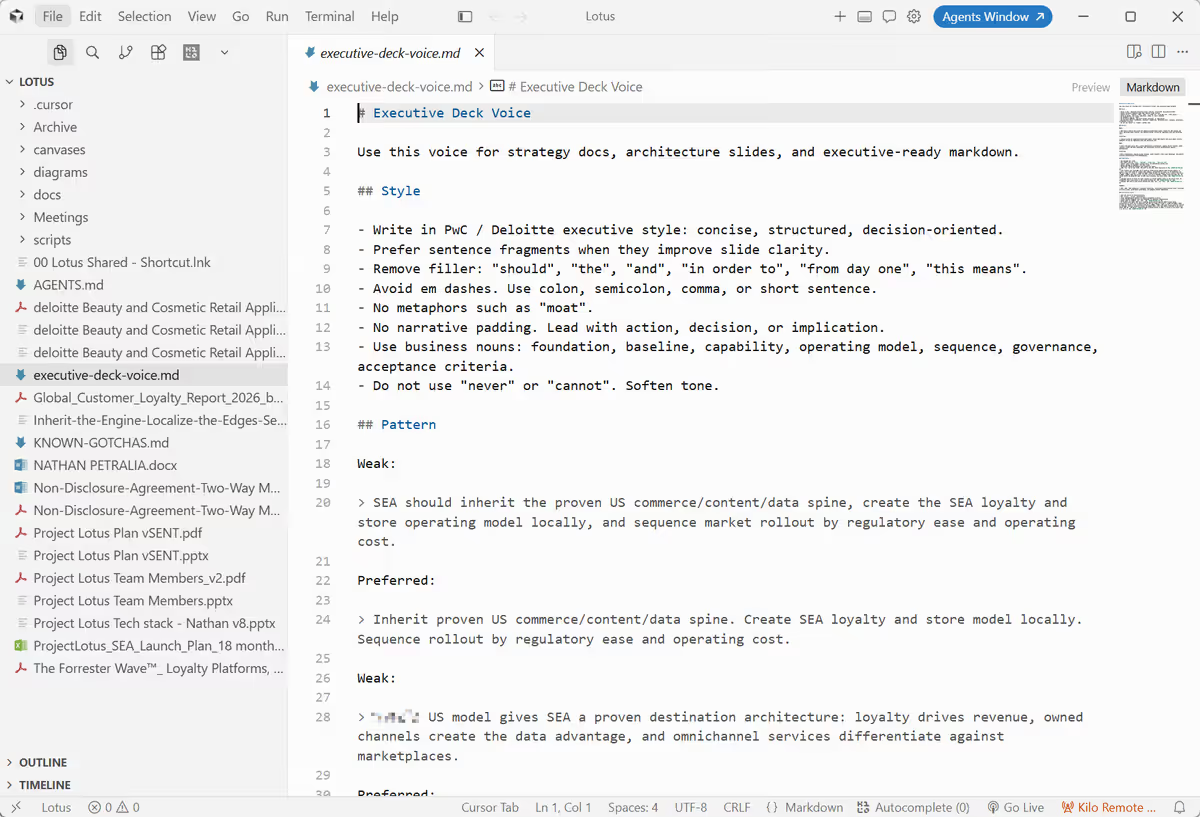 Screenshot: Cursor — Petralian (2026)
TL;DR
- Cursor is sold as a developer IDE; I use it as a governed agent interface for writing, research, commerce, applications, client work, and directed implementation.
- The edge is not autocomplete. It is curated files the agent reads every session, plus rules that survive long threads.
- ChatGPT and Copilot still have a place. Cursor wins when continuity matters across days, folders, and projects.
Why the question keeps coming up
Cursor's marketing, pricing tiers, and benchmark pages all speak developer. Fair. The product ships inside a fork of VS Code, and the default hero stories are repos, agents, and pull requests.
People who are not full-time engineers read that story and bail too early:
| Reaction | What happens next |
|---|---|
| "Not for me" | Stay on ChatGPT tabs, re-paste context every session, lose voice and rules across threads |
| "Only for engineering" | Buy dev seats for the repo team and leave everyone else on disconnected chat tools |
| "I'm not technical" | Miss that the hard part is files and habit, not learning a programming language |
All three miss the point. The product category is an IDE. The capability is an agent that reads and edits files on your machine with rules you control. That maps to any work that already lives in documents — school, business, creative, operational, or technical.
I run Cursor across AI products, consulting, practice building, go-to-market, delivery governance, writing, and implementation. The interface is the same whether the output is a blog post, a merchant playbook, or a deploy. Code is one output. It is not the gate.
What Cursor is (and what it is not)
| Cursor is | Cursor is not |
|---|---|
| An agent runtime with file tools (read, search, edit) | A replacement for your calendar, CRM, or gradebook |
| A place to enforce session habits via rules and hooks | A guarantee the model will be right |
| A workspace boundary per project or semester | A team collaboration product out of the box |
| A bridge between notes and execution when you choose | A tool that works with zero files on disk |
If you never save work as files (markdown, exports, wiki pages), Cursor will feel heavy. If you turn ideas into artifacts — even personal ones — an IDE agent is often the highest-leverage AI surface in 2026.
How this relates to tools you already use
Most people already run a three-tool loop:
- Chat tab (ChatGPT, Claude, Gemini) for drafts and thinking
- Notes, tasks, or LMS for what is officially "current"
- Email, slides, or docs for what other people see
Cursor does not delete steps 2 and 3. It upgrades step 1 when step 1 must read the same handoff files your future self (or a teammate) will open next week.
| Tool | Strength | Where it weakens on multi-project work |
|---|---|---|
| ChatGPT / Claude web | Fast ideation, low setup | Scrollback is not memory; voice drifts across threads |
| Copilot in VS Code | Inline completion in a repo | Long agent threads dilute custom instructions |
| Cursor Agent | Re-injected rules, multi-file edits, workspace isolation | Requires file discipline and a bootstrap habit |
I still use other surfaces. Cursor is where continuity matters: a semester-long thesis, a job search across employers, a client engagement, a newsletter quarter, or a product you return to every week.
How I use Cursor (not one "dev" mode)
These are my live contexts. Public projects are named; confidential client and application work stays generic here.
| Context | Examples of what I do | Why Cursor instead of a chat tab |
|---|---|---|
| Writing and publishing | Blog drafts, SEO passes, newsletter prep for petralian.com | Writing guide and voice rules live on disk; the agent reads them before drafting |
| Study and research | Source synthesis, argument outlines, citation lists, revision passes | One folder per paper or module; no cross-contamination between subjects |
| Commerce operations | Merchant support patterns and referral diagnostics for Vouch (Shopify app) | Commerce docs sit beside implementation context in one workspace |
| Job applications | Role research, tailored case studies, interview prep (confidential vaults) | One window per pursuit; no accidental paste between employers |
| Client delivery | Program bridges, stakeholder updates, workshop outputs | Thin project vault per engagement; shared Brain holds methodology |
| Personal and open-source | Release notes, docs for tools like WhisperX | Public repo + shared templates |
| Directed implementation | Features, fixes, deploy gates when the deliverable is software | Agent as implementer; I review and own release decisions |
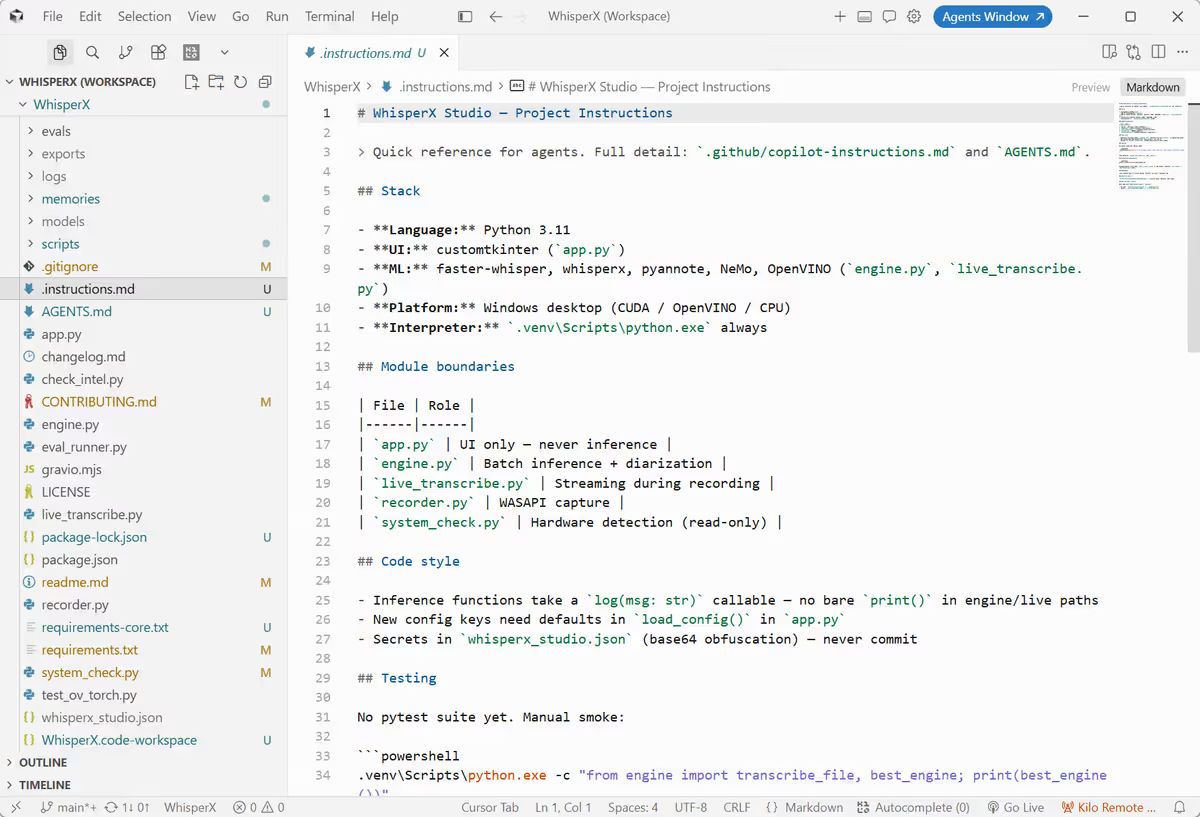 Screenshot: Petralian / Cursor (2026)
Most rows are not coding. Marketing highlights implementation because screenshots of repos are easy. Your row might be study, founder ops, or creative work. The mechanics are the same: files the agent can read on purpose.
Why file-grounded Cursor beats chat-only for me
Chat tools optimize for conversation. Serious work optimizes for artifacts you can reopen. Four mechanics explain why I keep opening Cursor for non-code work.
1. Ground truth lives on disk, not in scrollback
When the agent reads a small handoff set (bridge file, session log, project notes), it starts from curated context. I do not paste forty pages into chat. I maintain files and link out to Jira, Canvas, or Confluence when execution detail lives elsewhere.
That is the same layered memory model I use everywhere: short chat, operational handoffs, evergreen notes.
2. Rules re-inject every agent turn
Cursor merges .cursor/rules with alwaysApply: true into each agent turn. Long threads still see session protocol and the constraints I care about. That is why I moved daily work from Copilot chat to Cursor for anything that must survive a fifteen-step tool loop (Copilot vs Cursor).
For a student, that might mean "always cite sources." For a founder, "never invent metrics." For a CEO, "keep board tone." The rule file repeats what chat scrollback forgets.
3. One workspace per context
I open one Cursor window per major context (site, Shopify app, job-application vault, client folder, course folder). Context does not bleed across employers, clients, or subjects. Switching workspaces is cheaper than sanitizing one mega-chat.
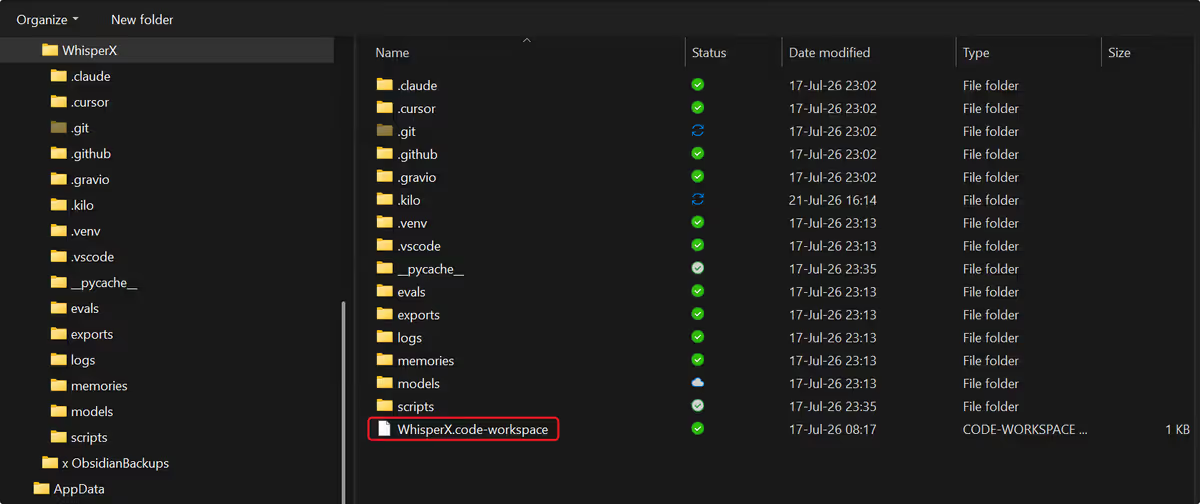 Screenshot: Petralian / Cursor (2026)
4. Notes and execution share one interface
When work moves from outline to draft to lightweight prototype, I do not switch products. I change which files are in scope. Continuity stays one story instead of "think in ChatGPT, build in the IDE."
Example implementation — how I run it
One labeled block, then principles. Full wiring is in the Cursor + Obsidian Brain handbook.
| Piece | What it does |
|---|---|
| Brain vault | Universal methodology: session prompts, writing guide, footer contract |
| Project folder | Context truth: course notes, job-search packs, client bridges, drafts |
.cursor/rules | Always-on protocol (session start, confidentiality, output shape) |
| Hooks (optional) | Bootstrap at session start; warn when habits drift |
| Sync script | Copy Brain templates into manifest projects when methodology changes |
I direct the agent to make changes; I review output and own what ships. At scale that is directing AI as primary implementer. At personal scale it is the same split: you hold judgment, the agent holds draft speed.
Path A — try the idea in one afternoon (no IDE required)
Cursor is not mandatory to test the thesis. Files plus habit come first.
- Create
Operations/AI Session Bridge.md(three bullets: current priority, blockers, next action). - Create
Operations/Session Summaries.md(append-only log). - In any chat tool, paste: "Read AI Session Bridge and the last five lines of Session Summaries. What should I focus on today?"
- Close with one summary line in
Session Summaries.
If paste fatigue returns within a week, open the folder in Cursor and add one always-applied rule file that points the agent at those two paths. Graduate to the Knowledge Work Engine replication kit when you want the full tree.
Limitations (read before you buy seats)
| Limitation | Practical implication |
|---|---|
| File discipline | No files, no leverage. Garbage handoffs produce garbage agent output. |
| Not a wiki replacement | Official systems of record stay authoritative; Cursor curates drafts and links |
| Confidentiality is your job | Rules help; you still need folder boundaries for employers and clients |
| IDE chrome | Some people prefer a simpler surface until the habit sticks |
| Model cost at volume | Teams need defaults and escalation policy (CursorBench cluster) |
Cursor is a poor fit if you refuse to maintain any handoff files. Tools do not replace the habit of closing a session with one line your next self can read.
Reader action
- List your last ten AI-assisted tasks. Mark which produced a file you could reopen next week.
- If fewer than half produced files, fix the handoff layer before debating IDEs.
- Run Path A for one live context this week (course, job search, side project, team initiative).
- If continuity improves, open that folder in Cursor and add one always-applied rule pointing at your bridge file.
- Read the Knowledge Work Engine hub when you want routing for PM, leadership, and marketing on top of the same files.
FAQ
| Question | Short answer |
|---|---|
| Do I need to code? | No. You need small markdown handoffs and the habit of reviewing agent output. |
| Is this only for executives? | No. The same file loop helps students, founders, creatives, and operators. I scale it to program delivery; you can start with one folder. |
| Is this the same as the Knowledge Work Engine? | The engine is the file system. Cursor is one runtime that enforces it well. |
| Should my whole company use Cursor? | Start with anyone who already produces documents under deadline — editorial, proposals, research, solutions, delivery. |
| What about security and enterprise IT? | Treat it like any IDE with cloud models: policy, allowed paths, named owners on outputs. Pair with enterprise readiness gates at org scale. |
Cursor is for anyone whose AI-assisted work should survive the weekend in files you can reopen without reading chat scrollback. I use it that way across writing, commerce, applications, client work, and build work. The IDE is packaging. Governed file memory is the point.
If you're new to Cursor: 50% off your first month (code JP5ARNKSFI2Q). I may earn usage credits; install directly if you prefer.
Weekly email with new posts on enterprise AI and how teams ship it.
One email per week. Unsubscribe anytime.