Series: Hub - One Agent, Many Workflows · Part 4 of 5 deep dives
Deep wiring: Cursor + Obsidian Brain handbook
Local develop and GitHub shipping in Cursor
Local edits and GitHub shipping are where Cursor's developer marketing is loudest. That does not mean this mode is only for professional engineers. Anyone who ships coursework, site fixes, or config changes faces the same review loop: scoped changes, human review, small releases.
Who it is for: Anyone who asks an agent to edit files and then needs those edits to land safely in GitHub (or any remote repo) without drama.
What you will learn: a light shipping checklist, which Customize levers matter, what to leave to the handbook, and a Path A you can practice even on a non-code folder.
This satellite stays intentionally light. Multi-project Brain sync, hooks catalogs, and workspace layout belong in the handbook. Cursor for non-dev life contexts: Is Cursor only for developers?.
The universal pain: speed without a paper trail
Agents can change many files quickly. Without a review habit, you get:
- Fixes that break an adjacent page
- Secrets almost committed
- Commit messages that describe nothing
- No rollback story when a bad merge ships
Customize should bias the agent toward small, reviewable steps — not toward maximum autonomy theater. The pain shows up as program risk, broken submissions, or a site that goes down after a "quick" edit.
Principle: you are the accountable reviewer
I use AI as the primary implementer for software work: I direct, read, and accept or reject. I do not claim to hand-code production systems from scratch. That honesty belongs in shipping mode because it sets the right review bar.
Accountability stays human. The agent proposes. You approve. Files and git history are the record.
A light shipping loop
| Step | What you do | What Customize should encourage |
|---|---|---|
| 1. Scope | One outcome in one sentence | Refuse sprawling "while we are here" edits |
| 2. Change | Agent edits locally | Prefer small diffs; show what changed |
| 3. Review | You read the diff | No silent force-push; no skipping checks you care about |
| 4. Verify | Run the lightest meaningful check | Tests, preview, or manual smoke - named in the ask |
| 5. Ship | Commit / PR with a clear why | Message explains why, not a file laundry list |
| 6. Handoff | Note what shipped and what is next | Bridge update so mobile/desktop can resume |
Example implementation - how I run it
For Petralian and other public repos, I ask Cursor for a scoped change, review the diff, run a light verify when it matters, then commit when I intend to. Rules remind the agent not to push unless asked, not to skip hooks, and not to invent credentials. Session handoff notes keep "what shipped" visible for the next hour or the next day.
When I need Brain-wide rules, sync, or hook design, I follow the handbook rather than re-teaching shipping basics in every chat. Parallel work (vault note + repo fix) uses subagents when the jobs are independent - covered in skills, hooks, orchestration.
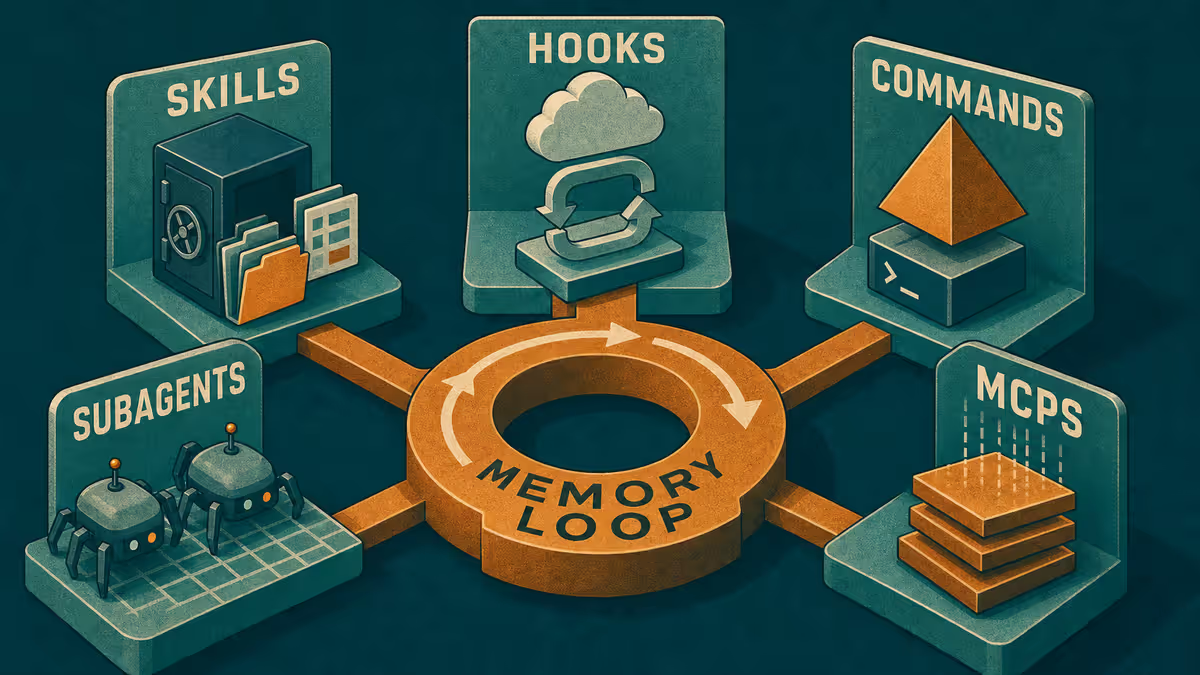
Customize levers (keep the set small)
| Lever | Shipping use |
|---|---|
| Rules | Scope discipline; no secrets; ask before push; vibe-code honesty |
| Skills | Optional "ship checklist" skill for recurring release steps |
| Commands | "Summarize diff for commit message" |
| Hooks | Catch process mistakes after turns (footer, risky paths) |
| Subagents | Split independent deliverables; never split review accountability |
| MCPs | Only when a remote system truly needs a bridge |
Turn on a Customize layer when the same mistake happens twice. Run a monthly audit: open Customize, disable anything you have not used in 30 days, and keep one shipping checklist skill instead of ten overlapping plugins.
Mobile and shipping
Do not merge from a phone because it feels urgent. Mobile is for capturing a bug note, approving a small clarifying question, or updating the handoff. Desk is for reading diffs. If you must continue an agent thread on mobile, keep it advisory until you can see the files.
Review questions that catch most damage
Before you accept a diff, ask:
- Did the agent stay inside the one-sentence scope?
- Are secrets, tokens, or private paths absent?
- Would a stranger understand the commit message why?
- What is the rollback if this merge is wrong?
- Did verify actually run, or did we only intend to run it?
Those five questions apply whether the repo is coursework, a personal site, or a product app. Customize can remind you to ask them. It cannot answer them for you.
When to stop and open the handbook
Stop expanding this light mode when you need:
- One Brain across many project folders
- Mechanical sync between vault methodology and repo rules
- A full hooks catalog for session governance
That is handbook territory. This satellite exists so shipping judgment is available without that rebuild.
The same review loop at any scale
The loop does not change with job title. Scope, review, verify, and a record of what changed matter everywhere. What changes is the verify step: preview the page, run the test suite, or open the PR checklist your team already uses.
If you assumed shipping mode was only for professional developers, re-read Is Cursor only for developers?. Customize here is review culture with file receipts - not a claim that every reader should live in pull requests.
Path A - any chat tool (even without git)
- Pick a folder of documents (not only code).
- Ask: "Propose a minimal change to achieve X. List files you would touch. Wait for approval before rewriting."
- Approve one file at a time.
- Write a three-line ship note: what changed, how you checked, what is next.
That is the shipping judgment. GitHub is the transport.
Limitations
Light habits do not replace CI, security review, or access control on serious systems. Builder-deep harness posts and benchmarks are a different editorial lane - keep this series teaching-first. Confidential client repos stay unnamed on the public blog.
Reader action
Run Path A once. Add one shipping rule to your agent ("ask before push"). For Brain wiring, open the handbook. For the memory machine and mobile loop, open skills, hooks, orchestration.
Weekly email with new posts on enterprise AI and how teams ship it.
One email per week. Unsubscribe anytime.