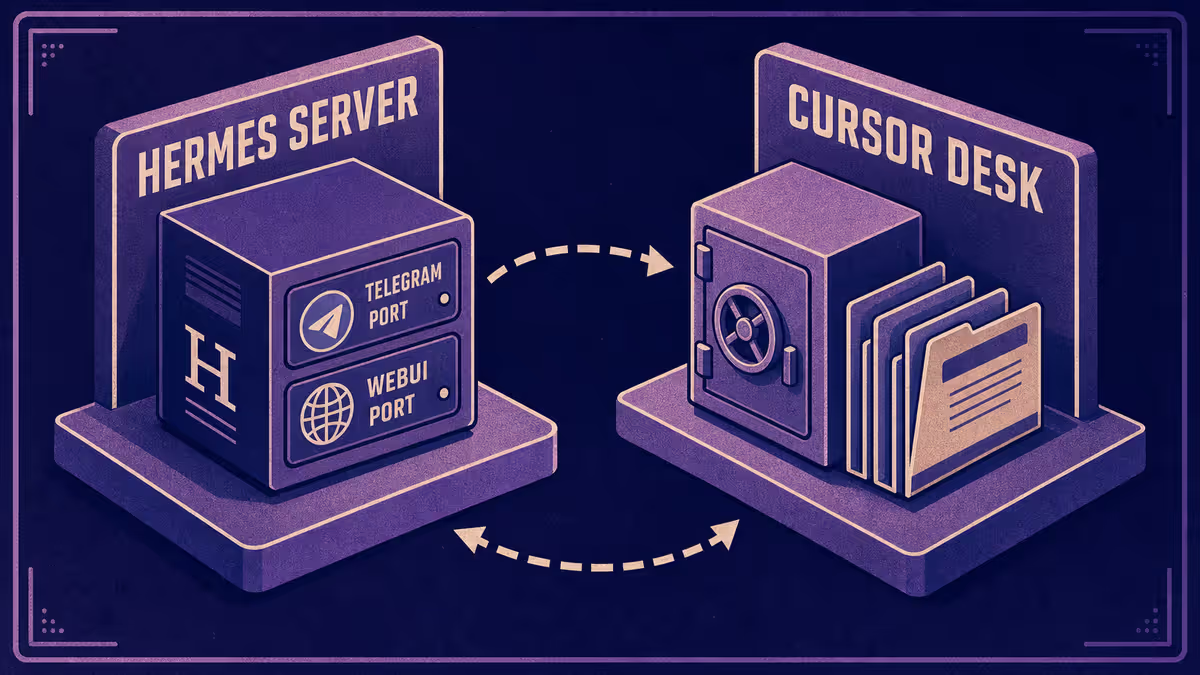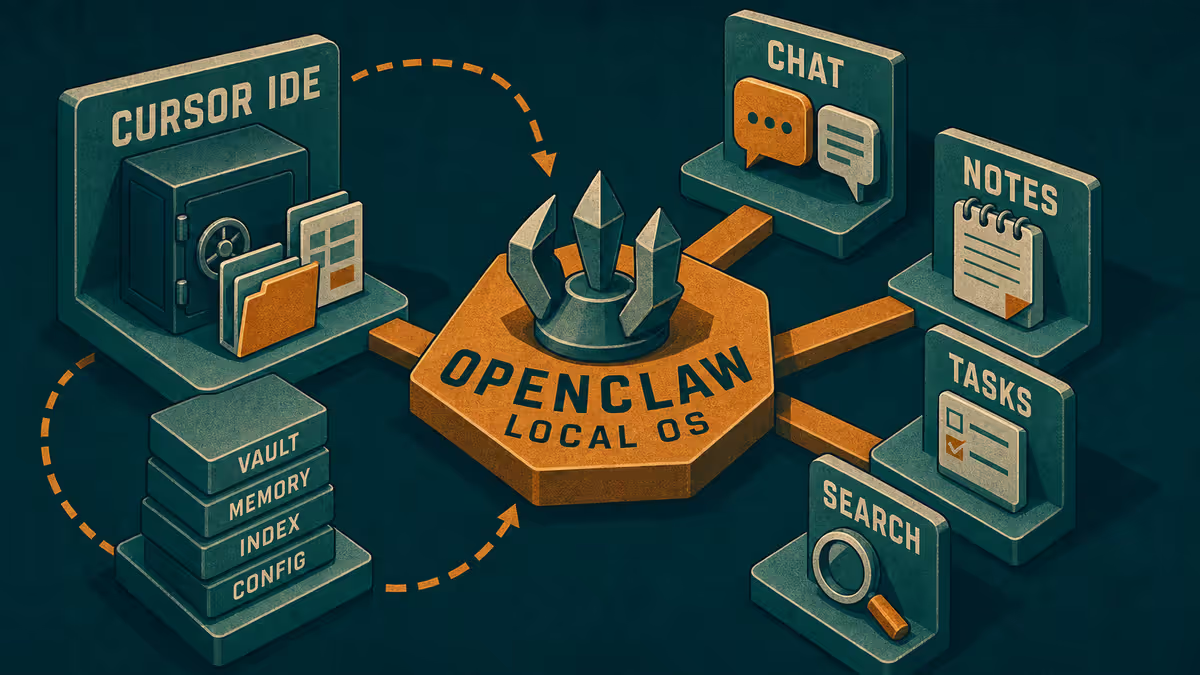
Memory cluster: AI memory landscape · Hermes vs Cursor · Is Cursor only for developers?
OpenClaw vs Cursor in 2026
OpenClaw is a local agent OS: persistent memory, messaging surfaces (WhatsApp, Telegram, and others), skills, heartbeat tasks, file and shell access on your machine. Cursor is a file-grounded IDE agent: project rules, hooks, vault paths, governed edits, shipping loops.
I do not replace one with the other. OpenClaw is how I think about ambient reach. Cursor is how I finish work that lives in files.
For the original landscape essay, read The AI memory problem. This post updates the comparison from my 2026 Cursor harness angle.
Who it is for: Anyone choosing between or alongside OpenClaw and Cursor who needs a decision frame for messaging-first agents versus IDE-first agents.
What you will learn: architecture contrast in plain terms, when OpenClaw wins, when Cursor wins, memory differences, and a Path A if you only adopt one pattern.
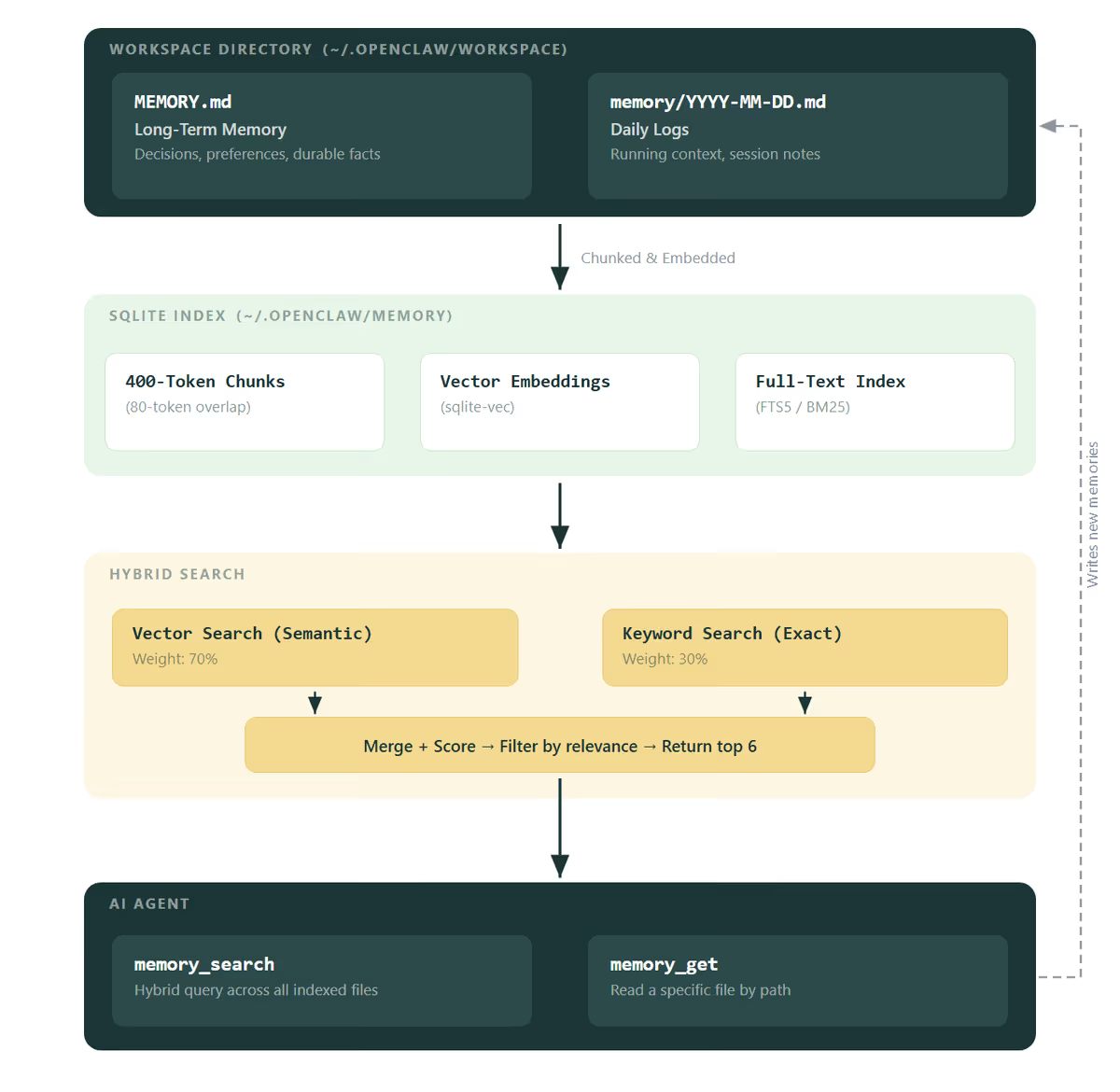 Diagram: How OpenClaw memory works — Petralian (2026)
Two postures, one amnesia problem
Both tools fight session amnesia. They fight it from opposite doors.
OpenClaw meets you in chat apps you already open. Memory is conversational and local. The agent can act in the background.
Cursor meets you at the folder and repo where deliverables live. Memory is files you curate plus rules the agent reloads every session.
When people compare them as "which AI is smarter," results weaken. Compare job fit.
When OpenClaw wins
| Job | Why OpenClaw |
|---|---|
| Always-on personal assistant | Messaging is the UI |
| Quick capture away from desk | Phone-first workflows |
| Local autonomy (files, shell) without IDE | Agent OS on your machine |
| Proactive heartbeat tasks | Scheduled nudges and checks |
| Single-user ambient memory | Conversational persistence |
OpenClaw shines when reach and continuity matter more than publish gates, multi-repo harness, or team SSOT.
When Cursor wins
| Job | Why Cursor |
|---|---|
| Multi-file deliverables | Native project context |
| Blogging / site pipeline | Folder gates, frontmatter, sync |
| Commerce and app repos | Tests, PRs, directed shipping |
| Customize harness | Rules, skills, hooks, subagents |
| Knowledge work at desk | Bridge, vault, Brain handbook |
Cursor shines when file truth and governance matter. That includes briefs and research — not only code. See Is Cursor only for developers?.
Memory: the real difference
OpenClaw memory is strong for contextual and operational chat recall. It is weaker as a knowledge compilation system unless you build structure yourself.
Cursor memory is deliberately file-first: Bridge, open loops, writing guides, memories/ in repos. Chat scrollback is optional archaeology (transcript search vs Bridge).
My rule matches managed vs file memory: conversational memory is a cache; promoted truth lives in markdown SSOT.
I also run Hermes as a hosted variant on the server/messaging side (Hermes vs Cursor). OpenClaw, Hermes, and Cursor are three points on ambient-vs-file spectrum, not a single winner bracket.
Example implementation — how I think about the split
I use Cursor daily for Petralian, Vouch, client workspaces, and harness work. OpenClaw is the reference architecture for what a local ambient agent could do on messaging surfaces with persistent memory.
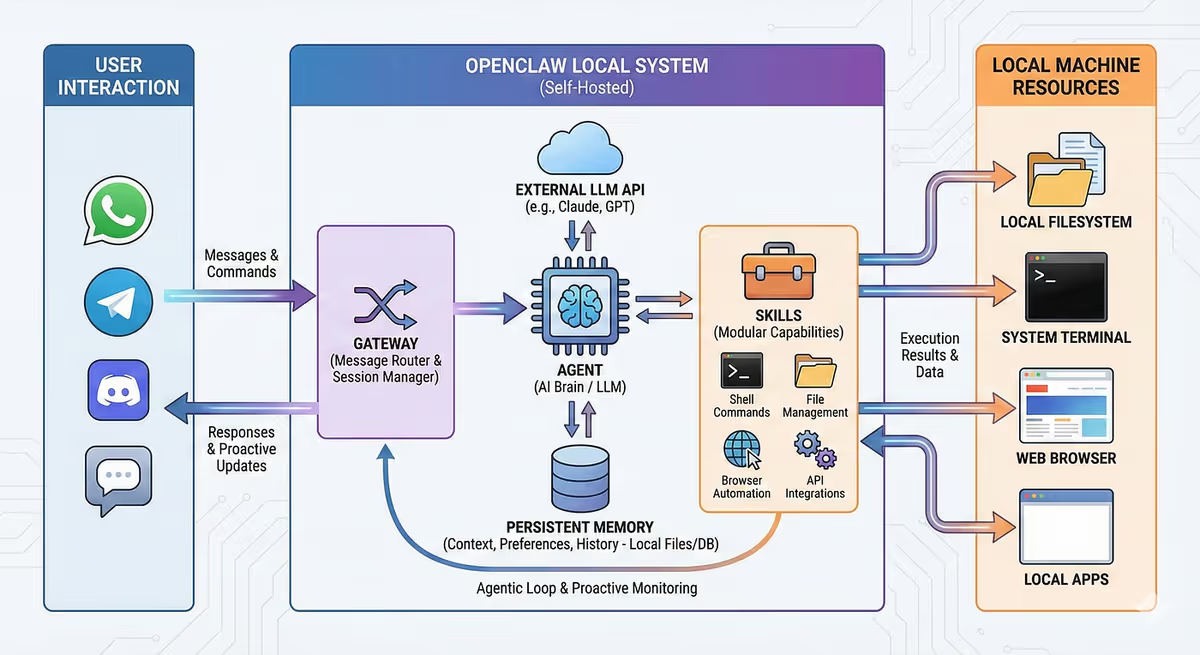 Screenshot: OpenClaw deploy guide — Petralian (2026); good if you do not mind one system having access to everything all at once
Practical division:
- OpenClaw-shaped jobs: capture, remind, lightweight research, "continue what we discussed" on phone.
- Cursor-shaped jobs: drafts, edits, multi-file reasoning, shipping, anything with a folder gate.
Promotion from ambient → desk is manual and intentional: one Bridge bullet, not automatic sync of entire chat logs.
Limitations
OpenClaw adds local ops and security thinking (shell access, messaging tokens). Cursor adds harness maintenance.
Neither removes human A on commercial decisions.
Product velocity in 2026 is high. Compare capabilities, not fan scores.
Path A: Cursor-only ambient mimic
- Phone notes → one Obsidian inbox.
- Daily Telegram or email reminder to yourself: "Process inbox to Bridge."
- Desk Cursor session starts from Bridge.
You lose heartbeat autonomy but keep file truth.
Path A: OpenClaw-only file mimic
- Teach OpenClaw to write dated markdown logs to a folder.
- Weekly consolidation session into one SSOT page.
You gain ambient reach but still build file discipline yourself.
What to try next
List your last twenty agent interactions. Count how many were message-shaped vs file-shaped. If file-shaped wins and you already live in Cursor, do not install complexity for ambient fantasy. If message-shaped wins, pilot OpenClaw or Hermes for capture — then promote to Cursor for finish work.
Related reading
Weekly email with new posts on enterprise AI and how teams ship it.
One email per week. Unsubscribe anytime.