External Memory Series — File-based memory for AI-assisted work (overview · 1 Implementation · 2 Productivity · 3 vs the diagram · 4 Governance)
Why AI Agent Output Quality Drifts Over Time (And How to Catch It Early)
Teams often assume quality failures are loud. In reality, AI quality issues are usually quiet first.
Nothing crashes. Builds pass. Basic tests stay green.
But outputs become slightly less useful, slightly less consistent, slightly harder to trust. That is drift.
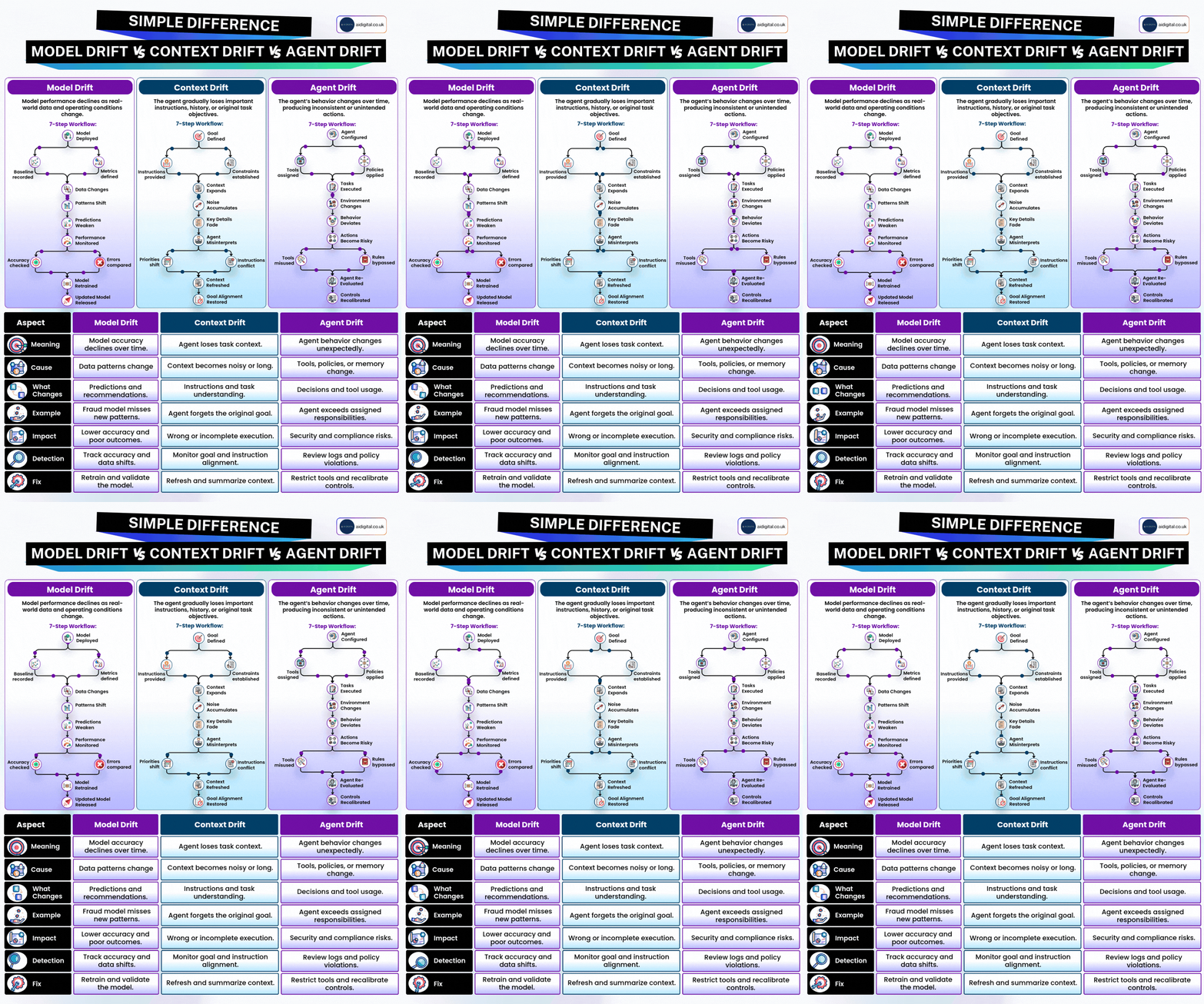 Source: LinkedIn post by Nathan Petralia — used with attribution
Drift Is a System Behavior, Not a Rare Event
Even well-built AI pipelines drift because multiple moving pieces change over time:
- Prompt edits across contributors.
- Model behavior updates upstream.
- Dependency and toolchain changes.
- Context window and retrieval differences.
- Team process changes around review discipline.
The result is gradual quality erosion that traditional tests may not catch quickly.
Why Unit Tests Alone Miss It
Unit tests validate expected deterministic behavior. AI quality is partly probabilistic and contextual.
You need additional signals:
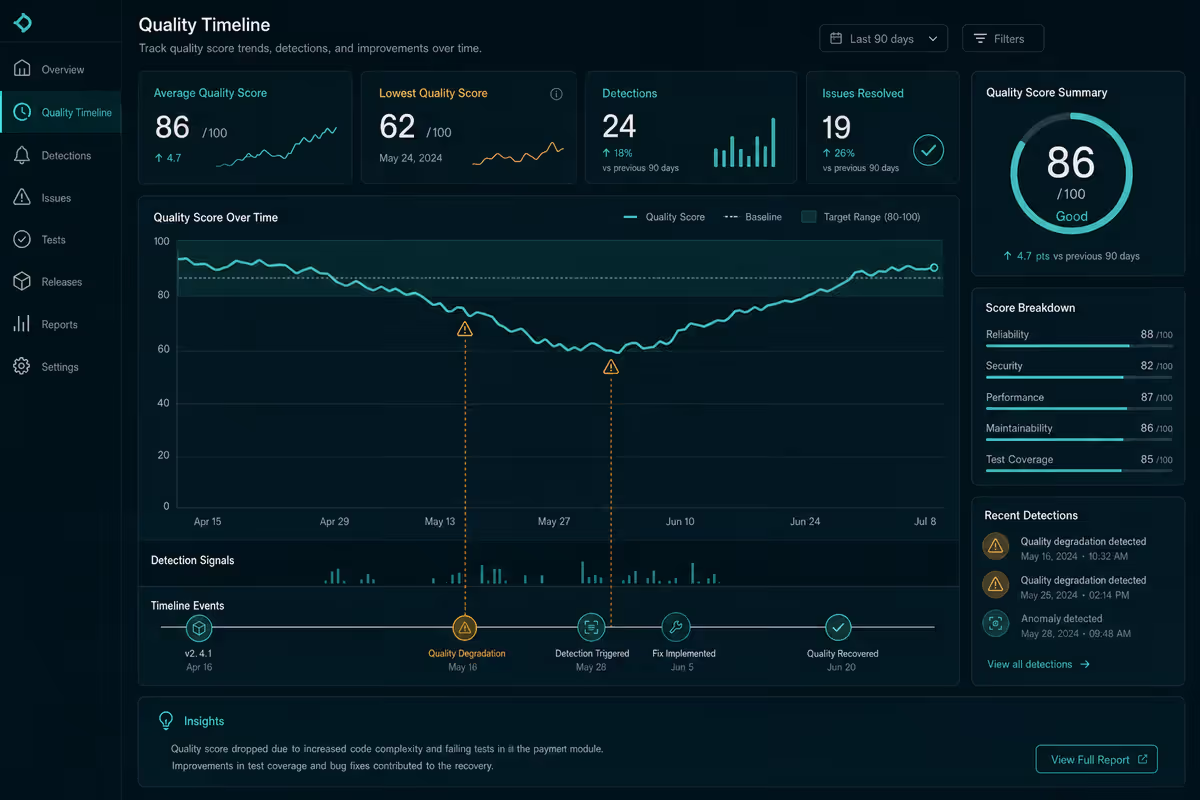
- Score trend over time.
- Category-level strengths and weaknesses.
- Regression detection across releases.
- Alert thresholds before severe drop-offs.
If you have not set this up yet, start with onboarding in From Empty Folder to First Quality Score in 10 Minutes.
Early Warning Signals to Watch
1) Slow score decline over several scans
A small dip once is noise. A consistent downward slope is not.
2) Volatility spike
Even if average score stays similar, increased variance often predicts instability.
3) Repeat failures in one quality dimension
Patterns matter more than isolated misses. Repeated weakness in one area often traces back to process drift.
4) Prompt churn without review guardrails
Frequent edits to high-impact prompts can destabilize quality quickly.
A Practical Drift Detection Loop
Use a lightweight loop your team can sustain:
- Run scans on a fixed cadence.
- Compare current score to rolling baseline.
- Flag significant deviations automatically.
- Attach drift context to release decisions.
- Feed findings into prompt and process adjustments.
This loop is where quality data becomes operational value.
Connecting Drift to Delivery
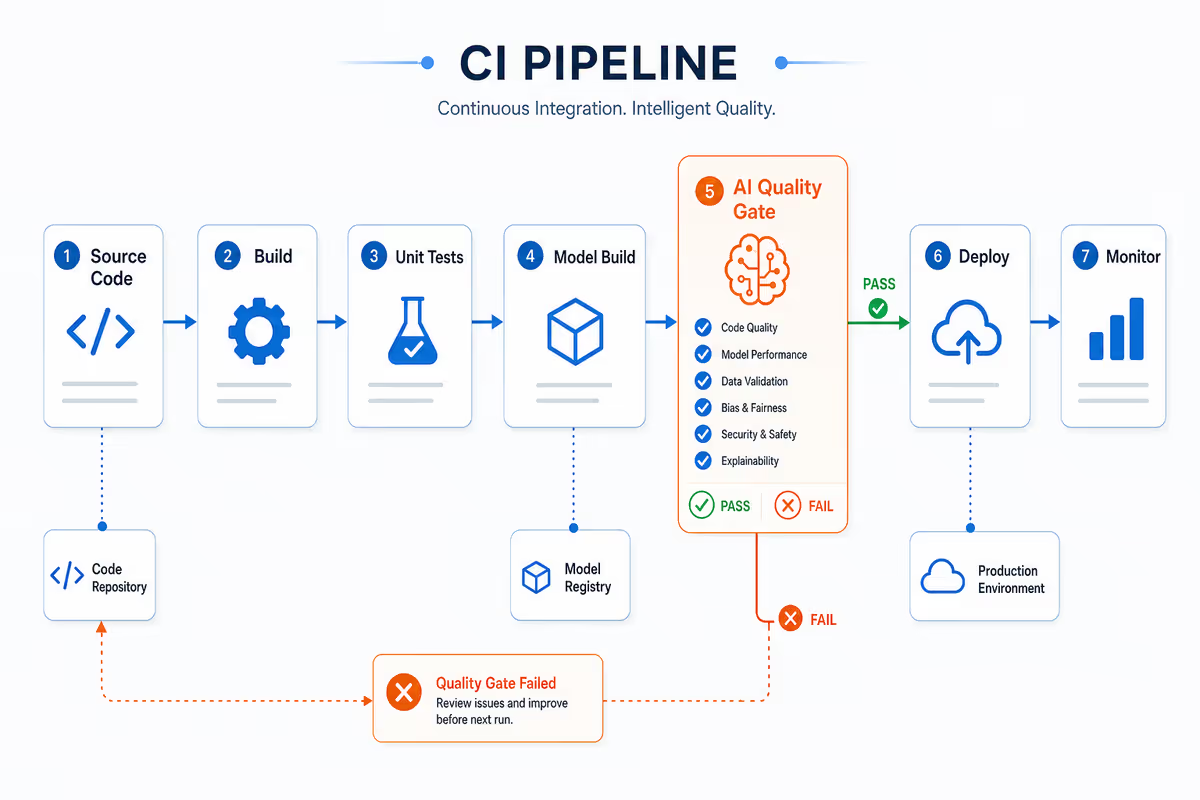
Drift detection is only useful if it affects behavior. The strongest teams wire it into CI and release policy.
That is why the natural next step is The New CI Gate: Failing Builds on Agent Quality.
And if you are rolling this across many repositories, move directly to Team Playbook: Rolling Out Gravio Across Multiple Repositories.
Additional detail
Privacy Still Matters Here
Trend and regression monitoring should not force a privacy compromise. You can monitor drift while keeping sensitive run content out of plaintext server paths.
For architecture context, read Zero-Knowledge AI Quality: How Gravio Scores Agents Without Seeing Your Code.
What is AI agent quality drift?
AI agent quality drift is the gradual erosion of output usefulness and consistency while builds still pass and nothing crashes. It is a system behavior driven by prompt edits, model updates, dependency changes, retrieval differences, and relaxed review discipline—not a one-time certification failure. Drift is inevitable; blindness to trend signals is optional.
TL;DR
- Your AI outputs can look great this month and degrade next month without obvious failures.
- Here is why drift happens and how to detect it before it reaches production.
Reference
Quick reference: drift detection loop
| Step | Action |
|---|---|
| 1. Cadence | Run quality scans on a fixed schedule |
| 2. Baseline | Compare current score to rolling baseline |
| 3. Flag | Auto-alert on significant deviations |
| 4. Release | Attach drift context to release decisions |
| 5. Adjust | Feed findings into prompt and process fixes |
Additional detail
Common mistakes (drift monitoring)
| Mistake | Symptom | Fix |
|---|---|---|
| Relying on unit tests alone | Green CI, worse outputs | Add score trends and category signals |
| Treating one dip as noise | Miss slow decline | Watch slope over several scans |
| Ignoring volatility spikes | Average stable, trust erodes | Track variance, not only mean |
| Prompt churn without review | Sudden quality collapse | Guardrail high-impact prompt edits |
| Dashboard-only scores | Teams ship under pressure anyway | Wire drift into CI quality gates |
FAQ
How is drift different from a hard quality gate failure?
Drift is gradual degradation across runs. A gate failure is a policy violation at release time (threshold, regression delta, critical workflow). You need both: trends for early warning, gates for enforcement.
What early warning signals matter most?
Slow score decline over several scans, volatility spikes, repeat failures in one dimension, and high prompt churn without review guardrails.
How often should teams scan?
Match your release cadence at minimum—weekly for active agent repos, daily if prompts change frequently. Consistency beats perfection.
Does drift monitoring require storing plaintext prompts in the cloud?
Not necessarily. Pair monitoring with zero-knowledge scoring when sensitive code is in scope.
When should drift feed CI?
After baselines stabilize. Establish trend visibility first; enforce thresholds once teams trust the signal—see the multi-repo rollout playbook.
Bottom Line
Drift is inevitable. Blindness is optional.
If you treat AI quality as a moving signal instead of a one-time certification, you can catch degradation early, reduce release risk, and keep confidence grounded in evidence.
Do you want to join Gravio as a beta tester or support as an open source contributor? Simply sign up on gravio.dev and email me, I will convert your account to pro.
Weekly email with new posts on enterprise AI and how teams ship it.
One email per week. Unsubscribe anytime.