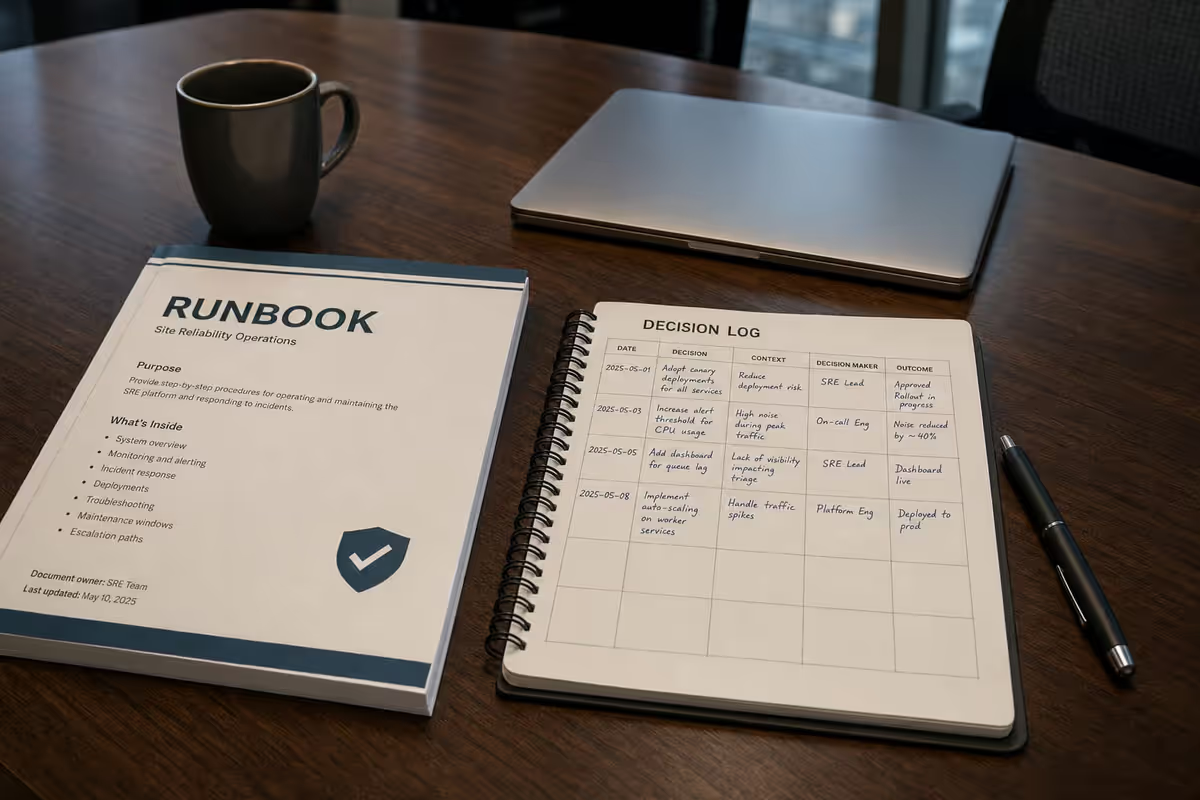
TL;DR
- This series explains a file-based external brain for builders and leaders—four layers, hooks, and why it beats hoping the model remembers.
Every AI session starts cold. The model does not remember your deploy rules, your product boundaries, or what you decided last Tuesday. Vendors sell longer context and product memory; both help. Neither gives you an inspectable, portable system you own when tools change.
This page is the hub for the External Memory series: a file-based approach I use for production software (AI as primary implementer), personal productivity, and program governance. Read it first for the map; then dive into the part that matches your role.
What is external memory for AI sessions?
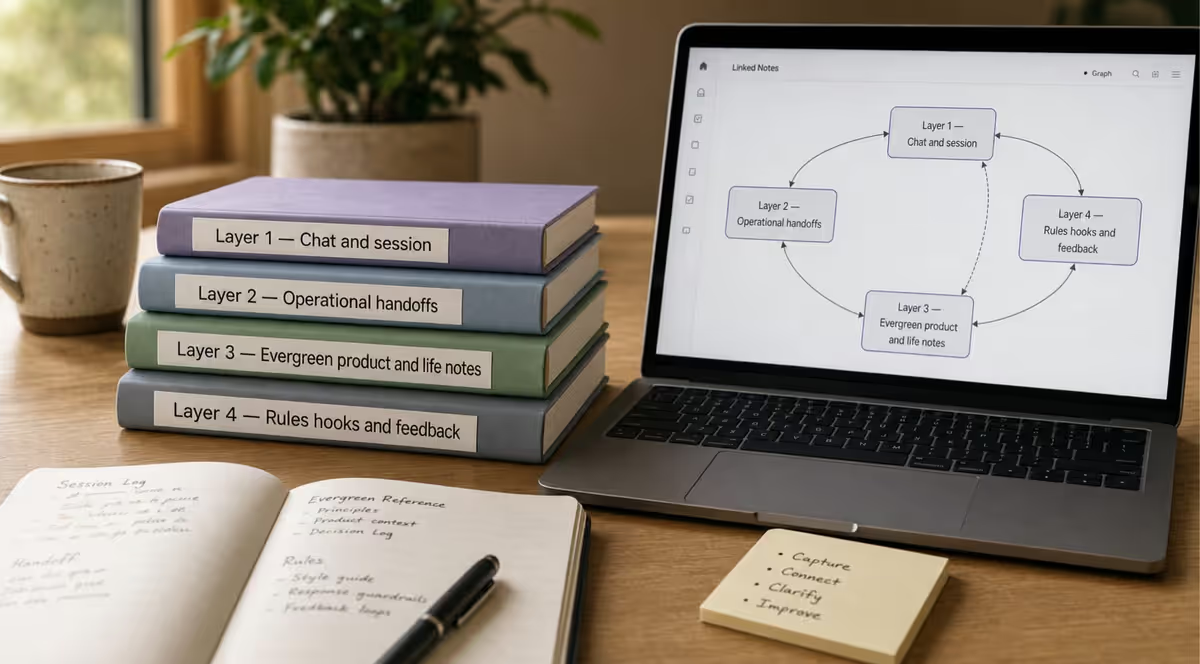
External memory is a deliberate file system—Obsidian notes, repo handoff files, agent rules, and hooks—that carries context between AI sessions instead of relying on chat history or product-side memory. It separates short-term conversation from operational handoffs, evergreen product truth, and feedback that hardens into rules you can inspect and version.
Who it is for: program leads, delivery directors, and knowledge workers who use AI across multiple tools and need continuity that survives session resets and vendor changes.
What you will learn: How the four layers fit together, which series part matches your role, and the smallest afternoon setup that proves the model before you automate.
 Photo: Google DeepMind on Pexels
How to get started
Two entry points — same file pattern, different depth:
| You are… | Start here |
|---|---|
| Shipping code with IDE agents | How I start a new codebase — Cursor workspace, dual vault MCP, hooks |
| PM, leadership, or marketing | Knowledge Work Engine Part 0 — Example + Path A |
Path A (any AI tool, ~30 min) — no Cursor required:
- Create
Operations/Session Summaries.mdandOperations/AI Session Bridge.md(priority + open loops). - Paste at session start: "Read AI Session Bridge and last 5 lines of Session Summaries; summarize objective and next action."
- At session end: append one summary line.
Who this series is for
| Reader | Start with |
|---|---|
| Developers and eng leads shipping with agents | Part 1 — AI-first development |
| Anyone using multiple AI tools for life and work | Part 2 — Personal productivity |
| People comparing approaches (STM / LTM diagrams) | Part 3 — Why files beat the diagram |
| Program owners, leads, audit/compliance | Part 4 — Deliberate file memory |
Background on this site: The AI Memory Problem (tool landscape) · Your Brain Was Not Built for This (why Obsidian) · What I Learned Directing AI as My Primary Engineer (leadership angle) · Publishing Obsidian Drafts (how these articles reach petralian.com)
The problem in one paragraph
When people say the AI forgot, they usually mean one of three things: no session thread from yesterday, no operational record of open loops and deploy state, or no conceptual truth for what the product is allowed to do. A bigger context window only expands short-term buffer. It does not replace handoffs, evergreen notes, or rules that survive tool churn.
The four layers (map of the series)
| Layer | What it holds | Where it lives |
|---|---|---|
| 1 — Short term | Current chat, todos, live repo state | In the tool |
| 2 — Operational | Resume next session: summaries, bridge, NEXT_SESSION | Obsidian Operations/ + repo handoff files |
| 3 — Evergreen | What the product or domain is | Features/, Architecture/, 00_Brain |
| 4 — Feedback hardened | Lessons that must not repeat | Agent instructions, hooks, session footer |
Part 1 walks through implementation—including session-start hooks and git post-commit updates to Feature notes (reference stacks: Gravio, petralian.com). Part 2 applies the same logic to strategic initiatives, client work, and your task app—not only code. Part 3 argues why this is different and often better than the popular three-circle STM/LTM/feedback diagram. Part 4 covers audit, solo shipping, teams, and tool churn.
Additional detail
How the parts connect
-
Three Layers of External Memory for AI-First Development — The builder playbook: bootstrap order, Obsidian dual vault, automation at session start and commit time.
-
Beyond Chat History: Layered Obsidian for Personal Productivity — Same architecture when the output is a decision or a cleared queue, not a deploy.
-
Why File Memory Beats the Three-Layer AI Diagram — Better, different, or worse—and when chat-only memory is enough.
-
Why Deliberate File Memory Beats Hoping Agents Remember — Audit trails, governance, and feedback that writes files—not vibes.
What you can do in one afternoon
Without the full stack:
- Add a ten-line
NEXT_SESSION.mdto one active repo (priority, open loops, next three steps). - Add
Operations/Session Summaries.mdin Obsidian with one line per work block. - Paste a session-end footer into your agent instructions (deploy state, files changed, next priority).
If session four needs less re-explanation, add Part 1 automation next—not more notes.
Reference
Quick reference
| Layer | Holds | Typical location | Read when |
|---|---|---|---|
| 1 — Short term | Current chat, todos, live repo state | In the AI tool | Active session only |
| 2 — Operational | Resume next session: priority, open loops | Operations/, NEXT_SESSION.md, repo handoff files | Every session start |
| 3 — Evergreen | What the product or domain is | Features/, Architecture/, shared brain vault | Planning, refactors, onboarding |
| 4 — Feedback hardened | Lessons that must not repeat | Agent instructions, hooks, session footer | After incidents, session end |
Series order: 1 Implementation → 2 Productivity → 3 vs diagram → 4 Governance
Common mistakes
| Mistake | Symptom / risk | Fix |
|---|---|---|
| Treating a larger context window as memory | Same mistakes return every week; no audit trail | Add Layer 2 handoff files and a session-end promotion habit |
| Skipping the operational layer | Twenty minutes re-explaining state each Monday | One NEXT_SESSION.md or Bridge note with priority + open loops |
| Dumping everything into evergreen notes | Vault becomes unsearchable; nothing is "current" | Use the promotion rule: next session → bridge; forever → Feature note |
| Building Layer 4 before Layer 2 | Hooks and rules with nothing fresh to read | Start with summaries + bridge; automate boundaries after discipline sticks |
| Reading all four parts before acting | Analysis paralysis; no proof on your stack | Pick one role from the table above; implement one afternoon checklist item |
FAQ
What is external memory in AI-assisted work?
A file-based continuity system—not chat scrollback—that stores session handoffs, product truth, and rules on disk so any agent can bootstrap from the same sources.
How is this different from product memory features?
You own and inspect the files. Vendor memory helps inside one product; external memory survives tool changes and supports audit, git, and team handoff.
Do I need all four layers on day one?
No. Start with Layer 2 (one handoff file + one-line session summaries). Add evergreen notes and hooks when session four still needs less re-explanation.
Which series part should I read first?
Match your role: builders → Part 1; cross-tool productivity → Part 2; comparing approaches → Part 3; audit and governance → Part 4.
Does this replace Obsidian or a second brain?
It extends one. Your Brain Was Not Built for This explains why plain Markdown vaults pair well with agents; this series shows how to layer memory for AI sessions specifically.
Should the AI read my entire project folder?
No. Curate handoff files at session start. Link to tickets and wikis; do not duplicate whole backlogs. See How to get started.
Do I need Cursor or MCP?
No to begin. Paste a bootstrap into any chat. MCP and IDE rules automate file reads for developers (Part 1).
Reader action
Pick your role from the table above and open one part. If you are unsure, read Part 3 for the philosophy, then Part 1 for the mechanics.
When all four parts are published, this hub stays the entry point—bookmark it, link your team to it, and treat the series as a single curriculum rather than four isolated posts.
If you're new to Cursor: 50% off your first month (code JP5ARNKSFI2Q). I may earn usage credits; install directly if you prefer.
Weekly email with new posts on enterprise AI and how teams ship it.
One email per week. Unsubscribe anytime.